Why do my Bluetooth headphones suddenly sound terrible on my Mac?
Your Mac is using the headphones’ microphone. Bluetooth cannot carry high-quality stereo and a microphone at the same time, so the headphones drop to a call profile: narrow, mono and muffled. Keep your Mac’s own microphone as the input and the music comes back.
Why it happens
Wireless headphones play music over a one-way, high-bandwidth stereo link. When anything needs their microphone, the connection is switched to a two-way hands-free profile built for phone calls, with far less bandwidth and a single channel. Everything you hear shares that narrow link until the microphone is released.
macOS often makes a newly connected headset the system input. From then on, any app that opens the default microphone (a video call, dictation, a browser tab asking to listen) pulls the headphones into call mode, even when you meant to speak into your MacBook.
Fix it by hand
- Open System Settings → Sound.
- Choose the Input tab.
- Select your Mac’s built-in microphone (or your USB mic) instead of the headphones.
- Quit and reopen any app that had the microphone open.
macOS can hand the input back to the headphones the next time they connect, so you may need to do this again.
Or let NearPair keep it that way
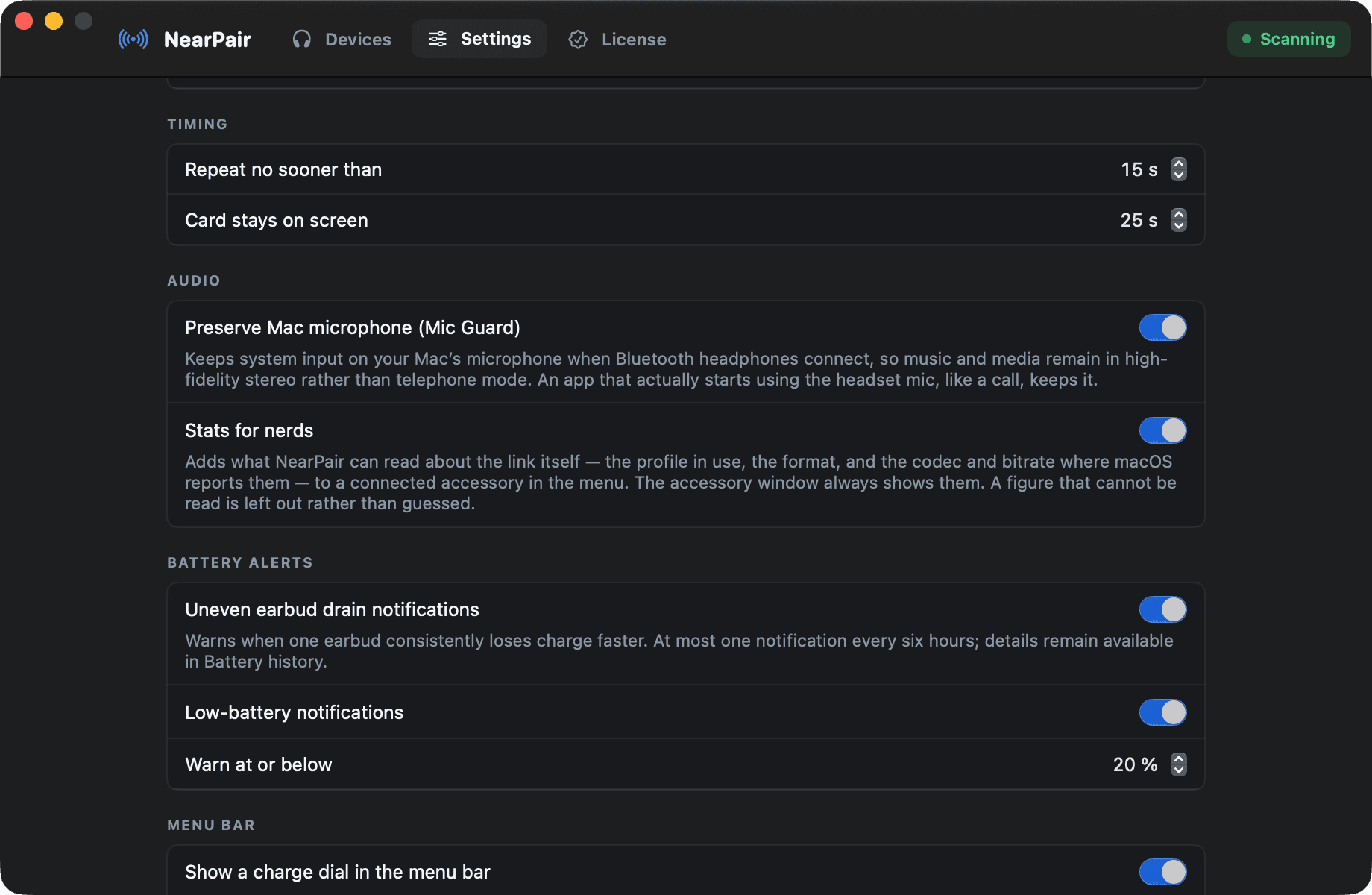
Turn on Mic Guard in NearPair’s settings and it watches the system input. When Bluetooth headphones connect and take it over, NearPair puts it straight back on your Mac’s built-in or USB microphone, so apps that listen to the default input no longer drag playback into call mode.
It steps aside when an app is already using the headset microphone, so a call you deliberately took on your headphones keeps working. The Accessories window shows which mode the link is in, so you can see the difference instead of guessing.
- One switch in Settings, then input stays on the Mac mic
- Leaves a call on the headset mic alone
- Shows call mode vs. high quality, with codec and bitrate
macOS 14 or later, Apple silicon. No account, no payment details for the trial.
Questions
Does this happen with AirPods too?
Yes. Any Bluetooth headset that uses its microphone falls back to a call profile. It is a limit of how Bluetooth audio works, not a fault with a particular brand.
Will I still be able to take calls on my headphones?
Yes. If an app is already using the headset microphone, Mic Guard leaves it alone. You can also choose the headset microphone inside the calling app.
Is Mic Guard free?
Mic Guard is part of NearPair, which has a 14-day free trial with every feature included. The manual fix above is free and always works.